

Many businesses invest heavily in driving traffic to their websites. They spend thousands of dollars on search engine optimization (SEO), pay-per-click (PPC) ads, and social media campaigns. They celebrate when their Google Analytics chart shows an upward curve in monthly visitors.
But traffic is only half the equation. If your website has 50,000 monthly visitors, but only 100 of them actually fill out a contact form, buy a product, or schedule a call, your conversion rate is a mere 0.2%. You are spending money to pour water into a leaky bucket.
Conversion Rate Optimization (CRO) is the systematic process of increasing the percentage of website visitors who take a desired action. By focusing on CRO, you make your existing traffic work harder, effectively doubling or tripling your leads or sales without spending an extra rupee on acquisition ads.
Here is the ultimate guide to optimizing your website's interface, performance, and copy for maximum conversion growth.
1. Technical Performance: The Foundation of Conversion
Before you write a single line of copy or adjust a button color, you must address your website's performance. Speed is the single biggest conversion killer.
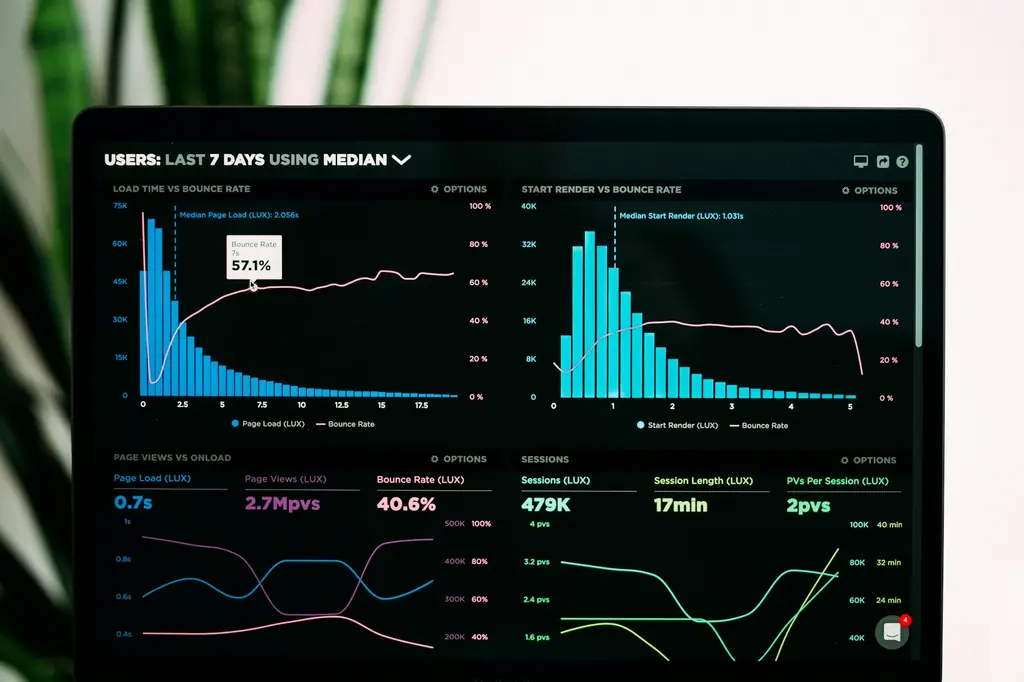
- The Load Speed Correlation: Google research shows that as page load time goes from 1 second to 3 seconds, the probability of a bounce increases by 32%. If your page takes 5 seconds to load, bounce probability increases by 90%.
- Technical Optimization: Ensure your website uses modern image formats (like WebP), minimizes blocking CSS and JavaScript, leverages browser caching, and is hosted on a high-performance content delivery network (CDN).
- Mobile First, Always: More than 55% of global web traffic is on mobile. If your website looks spectacular on a 27-inch desktop monitor but is slow, cluttered, or difficult to tap on an iPhone screen, your conversion rate will suffer.
2. Visual Hierarchy and Intuitive UI/UX
Users scan websites; they rarely read every word from top to bottom. Your interface design must guide the user's eye naturally toward your key actions.
The "Z" and "F" Reading Patterns
Studies show that Western readers scan screens in "F" or "Z" patterns. Put your most important elements—your logo, value proposition, and primary Call-to-Action (CTA) button—along these scanning paths.
- Hero Section: Place your main headline and a primary button "above the fold" (the area visible without scrolling).
- Whitespace (Negative Space): Give elements room to breathe. Cluttered layouts overwhelm the user's brain, leading to decision paralysis. Whitespace directs focus to your text and CTAs.
- Button Contrast: Your CTA buttons should use a high-contrast accent color that stands out from the rest of your page palette. If your site is dark and monochromatic, a bright, vibrant accent color (like Greydot's accent blue) draws the eye immediately.
3. Copywriting and Clear Call-to-Actions (CTAs)
Your design gets users to look; your copy gets them to act. To convert, your messaging must be clear, benefit-driven, and friction-free.
Action-Oriented Buttons
Generic text like "Submit" or "Click Here" reduces conversions. Instead, use specific, benefit-focused language that tells the user exactly what they get:
- Instead of: "Submit" -> Use: "Get My Free Brand Audit"
- Instead of: "Contact Us" -> Use: "Book a 15-Min Demo"
- Instead of: "Download" -> Use: "Get the Guide (Free)"
Reducing Cognitive Friction
Every field you add to a contact or signup form reduces your conversion rate. Auditing your forms is one of the easiest CRO wins:
- Keep forms short. Only ask for essential information (e.g., Name, Email, and Company Name). You can gather deeper details later in the sales process.
- Use inline validation to help users fix errors immediately, rather than showing a long red error list after they hit submit.
- Remove distractors. On landing pages designed for a specific campaign, remove the main header navigation menu to keep users focused on a single path.
4. Trust Signals and Social Proof
People are naturally skeptical when browsing a new website. To convert, you must quickly overcome their defense mechanisms by establishing trust.
Include these trust anchors:
- Client Testimonials: Place authentic, specific testimonials close to your conversion points. Avoid generic praise like "Great service!"; instead, show results-oriented feedback ("Greydot redesigned our site, and our leads grew by 45% in 30 days!").
- Customer Logos: Display the logos of recognizable brands you have partnered with. This transfers their credibility to your business.
- Certifications & Badges: Show secure SSL badges, industry awards, or partner certifications (like Google Partner or Shopify Expert).
- Real People: Include professional photos of your team. Showing the real faces behind the company builds a human connection that stock photos never can.
5. The Step-by-Step CRO Audit Process
To optimize your site, you must make decisions based on empirical user data, not subjective opinions. Follow this testing process:
Phase A: Quantitative Analysis
Look at your analytics data to identify where users are dropping off.
- What pages have the highest bounce rates?
- Where do users leave your multi-step signup funnels?
- Which devices (mobile vs. desktop) show lower conversion metrics?
Phase B: Qualitative Analysis
Understand why users are dropping off.
- Heatmaps & Clickmaps: Use tools like Hotjar or Microsoft Clarity to see how far down users scroll and where they click.
- Session Recordings: Watch anonymous recordings of real users navigating your site. Look for "rage clicks" (repeatedly clicking a non-interactive element) or areas where they hesitate.
- User Testing: Ask people who fit your target persona to perform a task on your site (e.g., "Find our brand services and book a consultation") while speaking their thoughts aloud.
Phase C: A/B Testing
Once you identify a potential hurdle, design a hypothesis and test it. For example: "If we move our testimonial carousel above our form, we will increase signups by 15%." Run the original version (A) against the modified version (B) to see which performs better.
Conclusion
Conversion Rate Optimization is a continuous loop of analysis, design, implementation, and measurement. It is the bridge that connects web design with actual business growth. By optimizing page speed, designing clear user paths, writing action-driven copy, and showing strong social proof, you transform your website from a passive brochure into a powerful sales machine.
At Greydot, we build high-converting websites. We combine custom code, fast hosting, premium UI/UX, and persuasive copywriting to make sure every visitor to your digital home has a seamless path to becoming a client.
How Greydot Can Help
Greydot is a brand studio in Wakad, Pune. If you would like to put the ideas in this article into practice for your website’s conversion rate, our team offers website design and development services in Pune alongside a clear, step-by-step process. Tell us about your project and we will reply within one working day.
Related capability